Consume OData in PowerBI
Data from xMart can be consumed in PowerBI from both the public and private endpoints. This article shows how to do that.
Public API
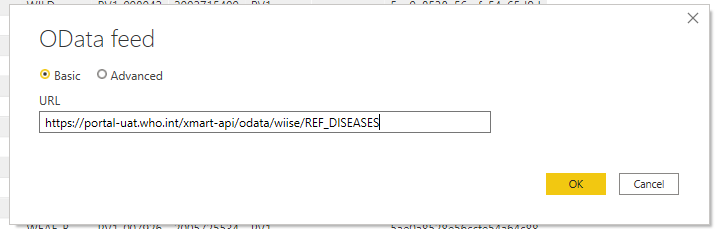
If the catalog view is publicly accessible (ie the user ANONYMOUS_PUBLIC is in a role with the DATA_VIEW permission), just use the Get Data > OData Feed connector Choose Anonymous connection for the view URL (no query parameters).
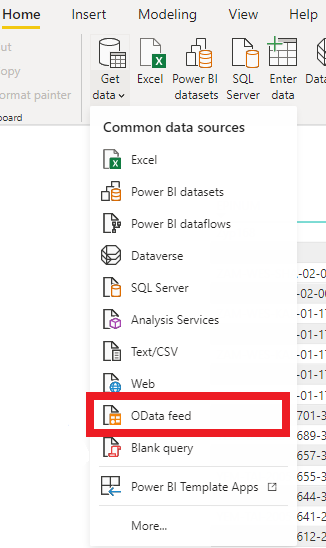
Enter the API URL of the view
Secured API
Setup
Power BI behaves like an end-user accessing your data and therefore needs to have an identity to be authenticated and authorized.
- Follow the “How To Register client app” to get the required client credentials if you don’t already have an existing app or secret.
- Grant this app the appropriate role in your mart.
PowerBI
Create a new PowerBI project.
Select the Get Data > Blank query
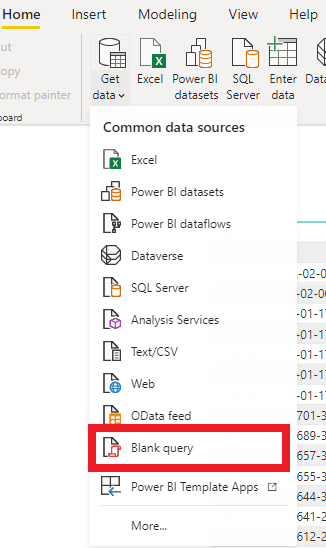
Click Advanced Editor
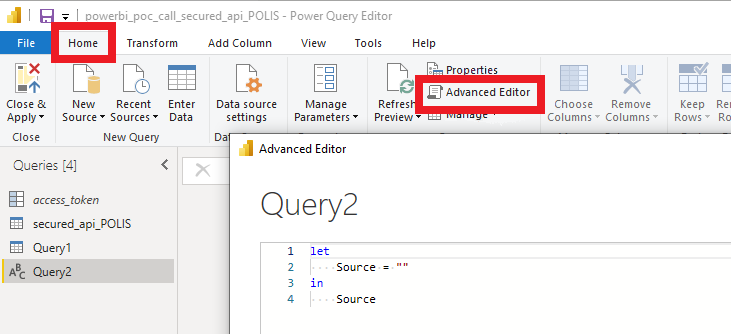
Then copy and paste this query in the editor, and replace the following placeholders:
REMOTECLIENTID -> from Azure AD REMOTECLIENTSECRET -> from Azure AD YOUR_MART -> ex: WIISE YOUR_VIEW -> ex: REF_DISEASES
For the list of the views in a particular mart:
let
    client_id = "REMOTECLIENTID", // your client id
    client_secret = "REMOTECLIENTSECRET", // your secret
    token_uri = "https://login.microsoftonline.com/f610c0b7-bd24-4b39-810b-3dc280afb590/oauth2/token",
    xMartApiUatId = "b85362d6-c259-490b-bd51-c0a730011bef",
    xMartApiProdId = "712b0d0d-f9c5-4b7a-80d6-8a83ee014bca",
    tokenResponse = Web.Contents(token_uri, [Content=Text.ToBinary(Uri.BuildQueryString([
            client_id = client_id,
            client_secret = client_secret,
            grant_type = "client_credentials",
            resource = xMartApiProdId // change here to UAT or PROD if needed, also change the apiResponse url below accordingly
            ])), Headers=[#"Content-type"="application/x-www-form-urlencoded", Accept="application/json"]]),
    jwtBody = Json.Document(tokenResponse),
    jwtResult = if (Record.HasFields(jwtBody, {"error", "error_description"})) then
            error Error.Record(jwtBody[error], jwtBody[error_description], jwtBody)
         else
            jwtBody,
    access_token = jwtResult[access_token],
    bearerValue = "Bearer " & access_token,
    apiResponse = OData.Feed("https://extranet.who.int/xmart-api/odata/YOUR_MART", null, [Implementation="2.0", Headers = [Authorization = bearerValue]])
in
    apiResponse
Note you need to add Implementation=”2.0” to the apiResponse OData.Feed call for the list of views.
For a particular view or table:
let
    client_id = "", // your client
    client_secret = "", // secret
    token_uri = "https://login.microsoftonline.com/f610c0b7-bd24-4b39-810b-3dc280afb590/oauth2/token",
    xMartApiUatId = "b85362d6-c259-490b-bd51-c0a730011bef",
    xMartApiProdId = "712b0d0d-f9c5-4b7a-80d6-8a83ee014bca",
    tokenResponse = Web.Contents(token_uri, [Content=Text.ToBinary(Uri.BuildQueryString([
            client_id = client_id,
            client_secret = client_secret,
            grant_type = "client_credentials",
            resource = xMartApiProdId // change here to UAT or PROD if needed, also change the apiResponse url below accordingly
            ])), Headers=[#"Content-type"="application/x-www-form-urlencoded", Accept="application/json"]]),
    jwtBody = Json.Document(tokenResponse),
    jwtResult = if (Record.HasFields(jwtBody, {"error", "error_description"})) then
            error Error.Record(jwtBody[error], jwtBody[error_description], jwtBody)
         else
            jwtBody,
    access_token = jwtResult[access_token],
    bearerValue = "Bearer " & access_token,
    VIW_FID_PAHO_table = OData.Feed("https://extranet.who.int/xmart-api/odata/YOUR_MART/YOUR_TABLE_OR_VIEW?$orderby=Sys_PK", null, [Implementation="2.0", Headers=[Authorization = bearerValue]])
in
    VIW_FID_PAHO_table
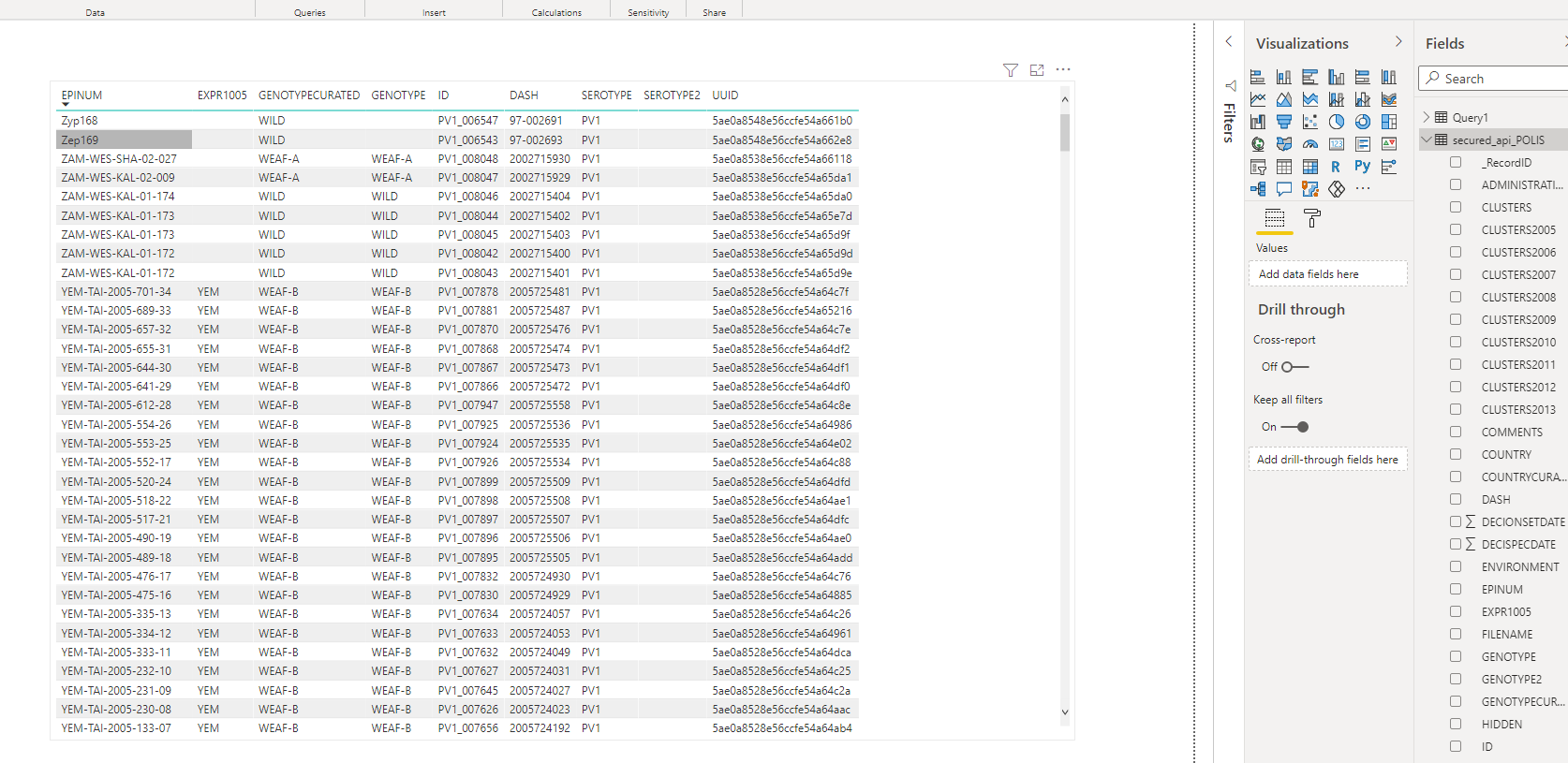
Important note for large tables (> 120,000 rows) which require paging: the $orderBy parameter is required. Try to use “$orderBy=Sys_PK”; the Sys_PK field is a pre-ordered system field and present in every xMart table. If reading a custom SQL view, consider adding the Sys_PK field to the custom view if possible, otherwise you must add your own unique and ideally pre-ordered field to the custom view (ie use SQL ROW_NUMBER()).
Now the data can be browsed within PowerBI