
Country to ISO3 / M49
This article is about how to use the synonym table in Ref Mart in order to convert country names to ISO3 or M49 codes.
In REFMART there is a COUNTRY_TO_M49_ISO3_LOOKUP table serves an ongoing need to assign the correct/official ISO3 or M49 code to a country when the raw data contain text in the name field. It is very common the country name to be written in different languages and make use of different names like Netherlands – Holland, Germany – Deutschland or common mix ups like United Kingdom and Great Britain.
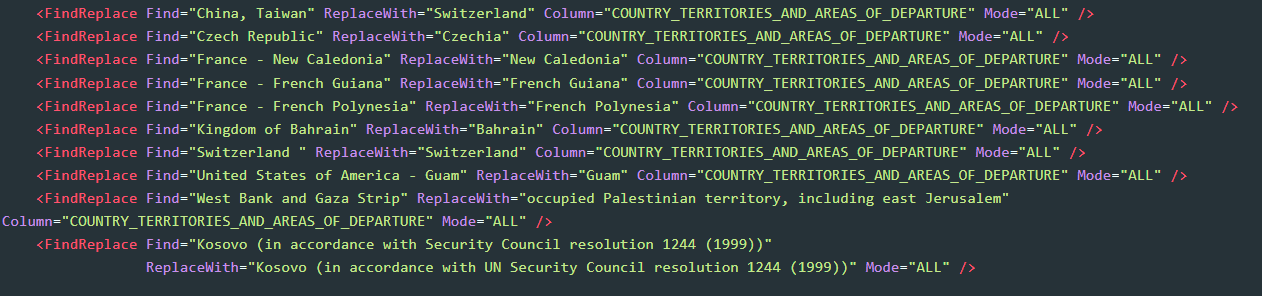
The solution so far was to overcome this manually in a pipeline like shown in the examples below, which required effort and time, and of above all it was something that needed to happen in every mart facing the same situation.

The COUNTRY_TO_M49_ISO3_LOOKUP Synonym table offers a centralized solution using a Synonym Table that can be used by any mart owner who needs to overcome the issue described above. It has three columns COUNTRY_NAME, CODE_ISO3 and CODE_M49 as shown below.
With the use of the Country Synonym table, a centralized solution is offered, which can be utilized by running a simple MartLookup command containing the MartCode attribute as shown below.
<MartLookup MartCode="REFMART"
    LookupTable="COUNTRY_TO_M49_ISO3_LOOKUP"
    SourceColumns="COUNTRY"
    LookupColumns="COUNTRY_NAME"
    LookupResultColumn="CODE_ISO3"
    SourceResultColumn="COUNTRY_FK">
</MartLookup>
Breakdown of the code:
<MartLookupMartCode="REFMART": The MartCode command points to the RefMartLookupTable="COUNTRY_TO_M49_ISO3_LOOKUP": The synonym table is set us as the LookupTableSourceColumns="COUNTRY": Is the column name of the uploaded data, containing the country names. This varies according to the uploaded file.LookupColumns="COUNTRY_NAME": The input of the synonym tableLookupResultColumn="CODE_ISO3": The output of the synonym tableSourceResultColumn="COUNTRY_FK">: The column with the result. The name may change according to how the mart model is created.</MartLookup>
An actual example of how to use the code above can be found in the Pipeline Examples Mart by clicking here
Note: Except of the commands in lines 4 and 7, which needs to be adapted the rest of the code can be used as is.