
Version 4.31
Enhancements
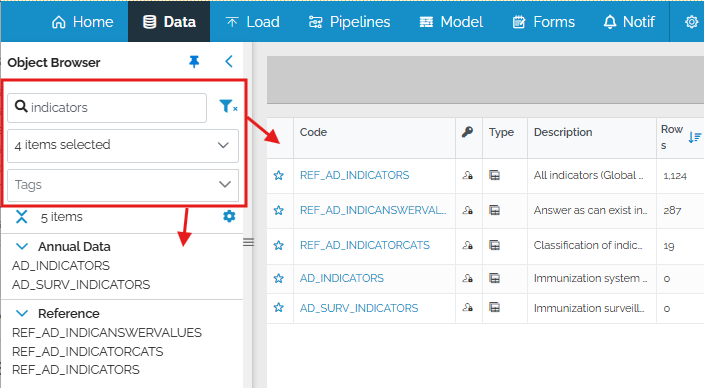
Table/view search moved to object browser
No matter what table or view you are viewing, the ability to filter/search the list of objects is available in the object browser on the left of any Data View page. The search filters both the list of objects in the left panel and, if it’s open, the objects shown on the main Data page (the one showing the list of tables when the Data in the blue menu is selected).
Customize grouping in object browser
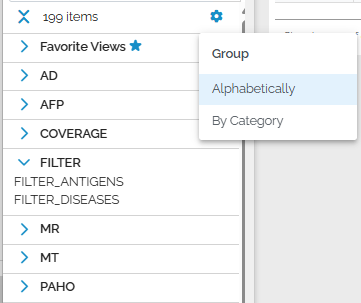
You can control how objects are grouped by using the gear icon in combination with the code/title switch.
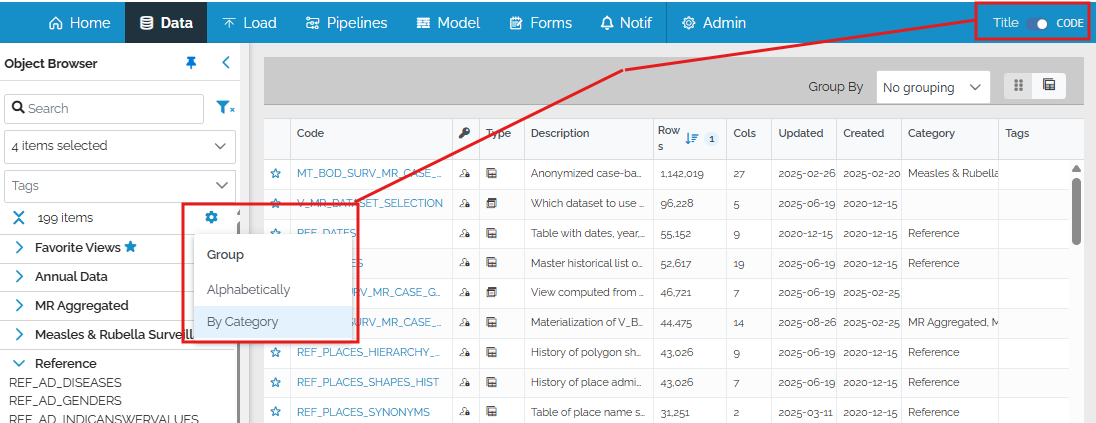
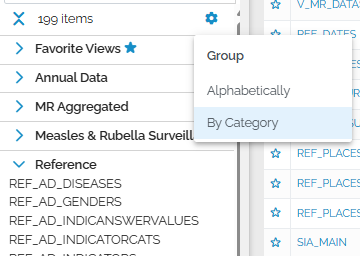
Group by category: objects grouped by category (code or titles of objects displayed):
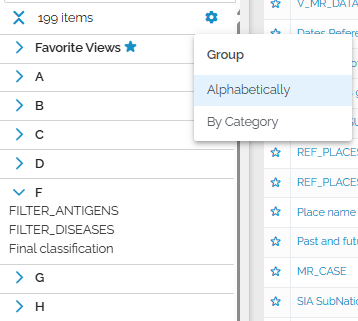
Group alphabetically in Title mode: objects grouped by the first letter of the title.
Group alphabetically in Code mode: objects grouped by the code prefix (the part before the first underscore).
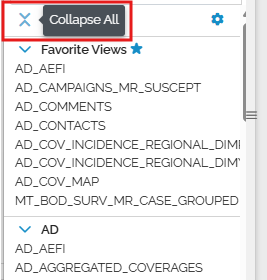
Finally, you can expand or collapse all groups with this button:
Track who edits custom SQL views
The system now keeps track of who edits custom SQL views if they are edited in the user interface. The username is visible on the History tab of the custom SQL view. Please note that edits made using SQL Server Management studio do not keep track of who made the edit.
Link to specific pipeline line from search results
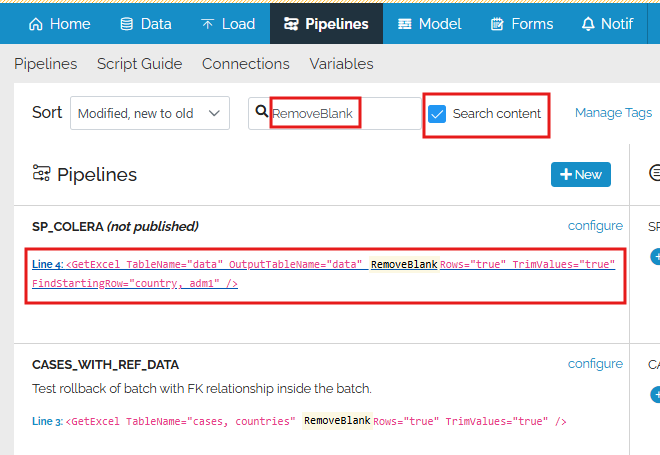
When searching the xml code of pipelines using the “Search content” box, the results are now hyperlinks which open the pipeline editor to the exact line number containing the matched search result.
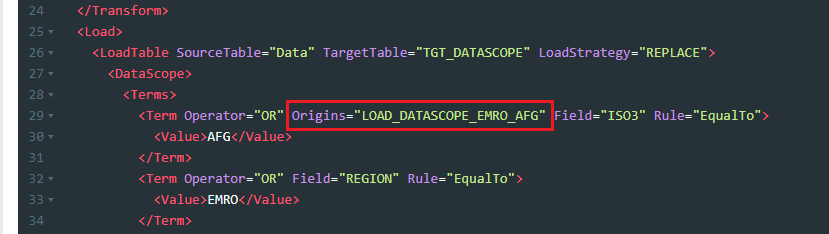
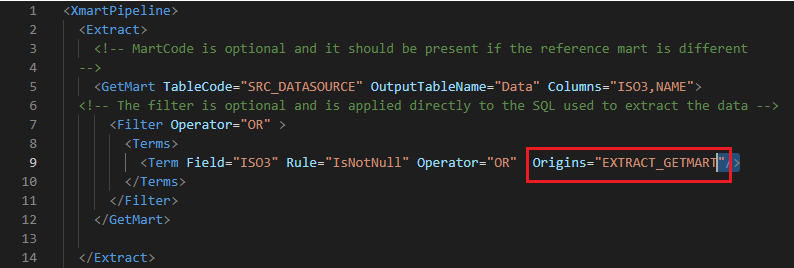
Customize DataScope and GetMart Terms by Origin
The filter Terms in DataScope can be customized by Origin.
GetMart Filter Terms can also be customized by Origin.
Edit Role RLS values in the UI
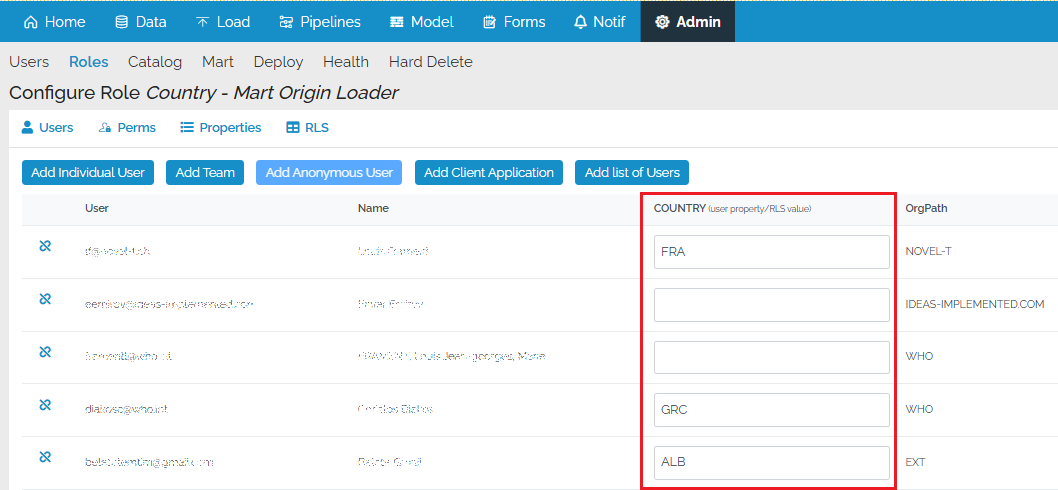
If a role is being used for row-level security, you can edit user property values directly in the user list of a role (Users tab), rather than having to export all user properties and re-upload them.
Single place to edit a user
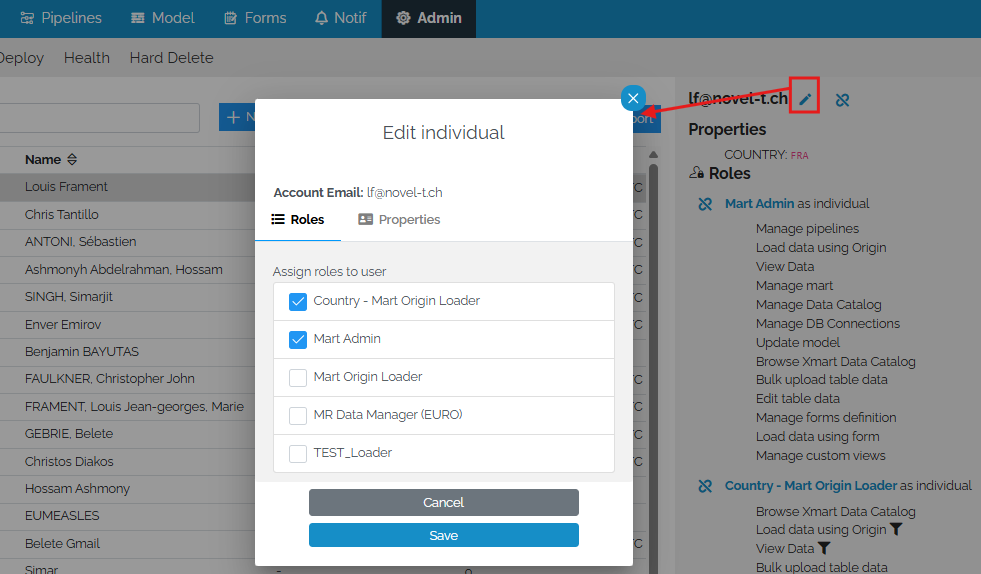
A new unified user interface for editing the roles and properties of a user is available in the Admin section.
Performance improvements
Several performance enhancements have been implemented including the elimination of certain locking situations causing long wait times, faster API data retrieval when business primary keys are configured, and faster determination of unchanged records during data loading.
Technical debt
Some key libraries have been upgraded in this release, notably to angular 20 and .NET 10.
Other Changes
- #5838 Batch preview long text diff - see more info about the row
- #5876 Form Design Mode Feedback #3
- #5974 Hangfire reconfiguration
- #5885 Slow/unusable data history
- #5891 Upgrade primeng 12 -> 17 (oldest lts) / 20 (current lts)
- #5817 Users Import batch seems to change the name of the Property after a rename
- #5895 Upgrade cloud relay app .NET 8 -> 9/10
- #5890 Upgrade angular 17 -> 20
- #5175 Better error message when user is unable to delete form (that is also a subform)
- #5898 Unable to view value difference in data history
- #5972 Better scope session cookie
- #5836 GetMart - Filter child node should not have an Origins attribute